
How to make Aoostar WTR Pro 5825U iGPU work in proxmox so it can be used to transcoding in plex vm.
This was harder than I initially thought. I went through all the instructions regarding blacklisting for amdgpu and vfio and acs and unsafe interrupts commands before realizing that it really couldn’t find the vbios file and that it had to be extracted from the firmware.
Proxmox version 8.3.0 no longer requires activating these vfio modules as they are already activated by default, so the old GPU passthrough instructions added to the confusion. Therefore, it’s now sufficient to just place the vbios file in the correct location.
First, we use lspci to find the right device
lspci

It’s good to verify device in lspci, because it shows up only in Barcelo name in proxmox

if started with these settings it wont work and it doesn’t matter if Primary GPU is tagged without bios file.
(if Aoostar do not click All functions there is multiple devices on same ID)
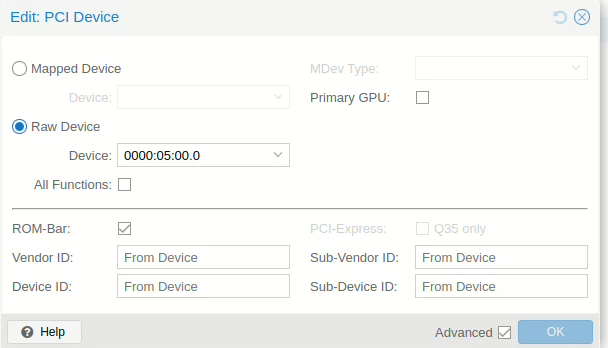
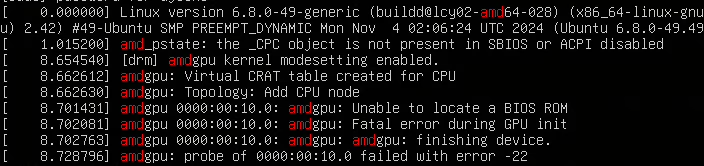
you will get lot of error not finding bios file for iGPU
Now we need find right vbios for Barcelo iGPU
You can find bios file for Aoostar from their website but i dumped my bios file from box because it was newer.
Link for Aoostar bios site: https://aoostar.com/pages/drives-systems
So you need Bios file and UEFIExtract tool from github
https://github.com/LongSoft/UEFITool
Then you can extracted files and start looking for vbios file.
(The extracted vbios from the BIOS file can be found at the bottom of the page.)
Lucky for me was the first file I found.

Next, you have to rename the body file to make it easier to remember what that file is, like vbios_1002.bin
There is maybe way to get vbios file straight from proxmox using command below, i didn’t test this because i read it maybe not support uefi boot, only legacy bios.cat /sys/kernel/debug/dri/0000\:05\:00.0/amdgpu_vbios > vbios-barcelo.bin
so back in the body.bin that i extracted from Aoostar bios, first i look file in hxd editor to see if that was correct file and then for sanity check in rom-parser and it looked correct file
root@pve-wtr:~/rom-parser# ./rom-parser ~/vbios_body/body.bin
Valid ROM signature found @0h, PCIR offset 1b0h
PCIR: type 0 (x86 PC-AT), vendor: 1002, device: 15e7, class: 030000
PCIR: revision 0, vendor revision: 110a
Last image
so in next we need to put file in correct folder in
/usr/share/kvm/vbios_1002.bin so that proxmox can find a vbios
cp ./vbios_1002.bin /usr/share/kvm/vbios_1002.bin
next we need to modify vm config file to add romfile
nano /etc/pve/qemu-server/[vmID].conf
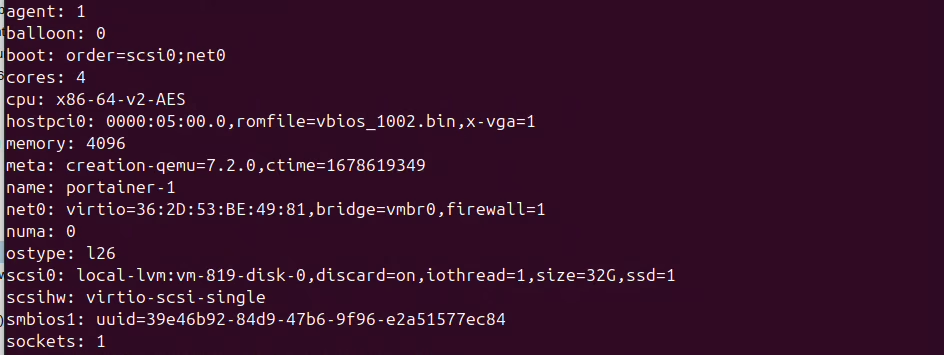
then add romfile=vbios_1002.bin,x-vga=1 after hostpci0: {deviceID} so it takes over displays and this means we don’t have access in web console anymore so make sure ssh is activated if needed.
hostpci0: 0000:05:00.0,romfile=vbios_1002.bin,x-vga=1
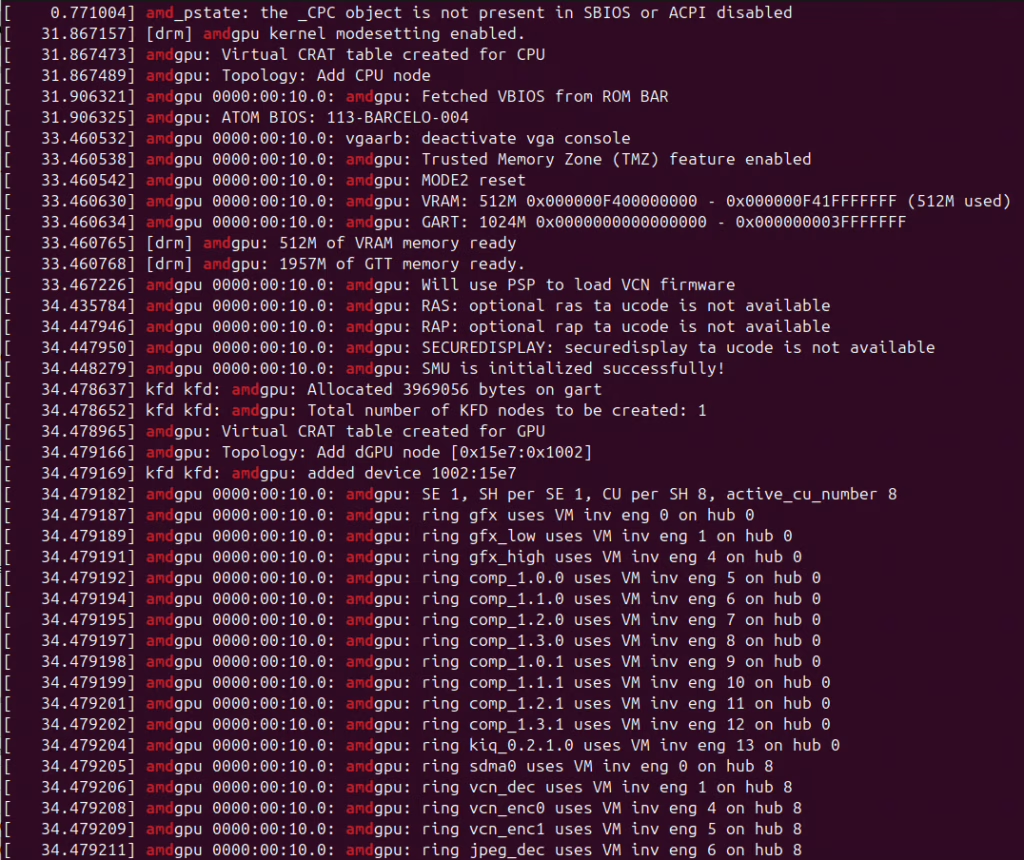
Now start vm machine and you can see in dmesg that iGPU is working
if cpu is stuck in 20% usage and no ssh shell not working, restart full host machine and try start vm again, i think that is because if you try without bios file you can get iGPU stuck and wont reset so full restart is needed
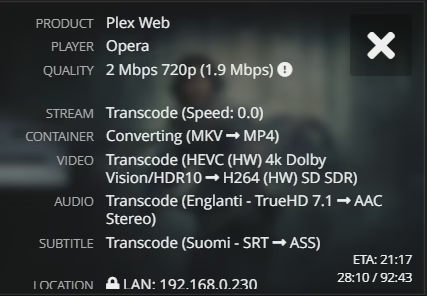
By testing the plex, you can see it uses hardware (HW) encoding.
Fast recap
download file straight to proxmoxwget https://djesko.eu/wp-content/uploads/2024/11/vbios_1002.bin
move file to new locationmv ./vbios_1002.bin /usr/share/kvm/vbios_1002.bin
modify confignano /etc/pve/qemu-server/[vmID].conf
add extra content in hostpci0 linehostpci0: 0000:05:00.0,romfile=vbios_1002.bin,x-vga=1
you will loose web console so make sure ssh is working.
(If the processor is stuck at 20% and SSH is not working, the iGPU has not been reset, so a full reboot is required.)
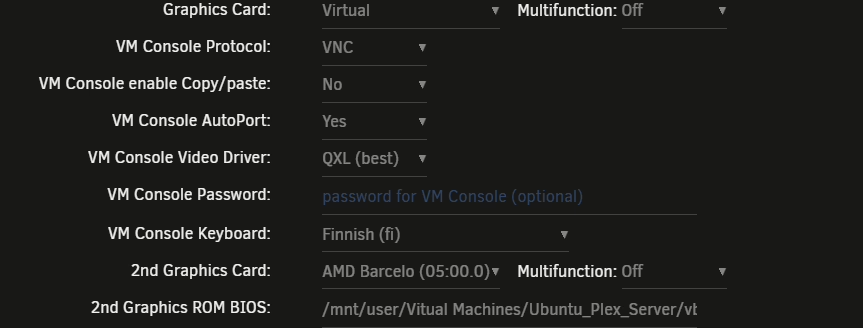
The new update for the VM running on Unraid
If you are using the same configurations in Unraid, for some reason, you need to first select the graphics VM console QXL and then the second graphics card, AMD Barcelo.
After making this change, you will see the picture in the web console, and transcoding will work properly.”
Without the QXL adjustment in Unraid, the virtual machine will freeze and fail to start.
New kernel 6.14
If no passthrough device has been set, such as both SATA controllers and the 6.14 kernel, then Proxmox requires adding the nomodeset command to GRUB, and only after that will the graphics card work normally in the virtual machine.
nano /etc/default/grub
#add nomodeset to grub default line
GRUB_CMDLINE_LINUX_DEFAULT="quiet nomodeset"

update-grub
reboot
vm same as before video=none and gpu bios.