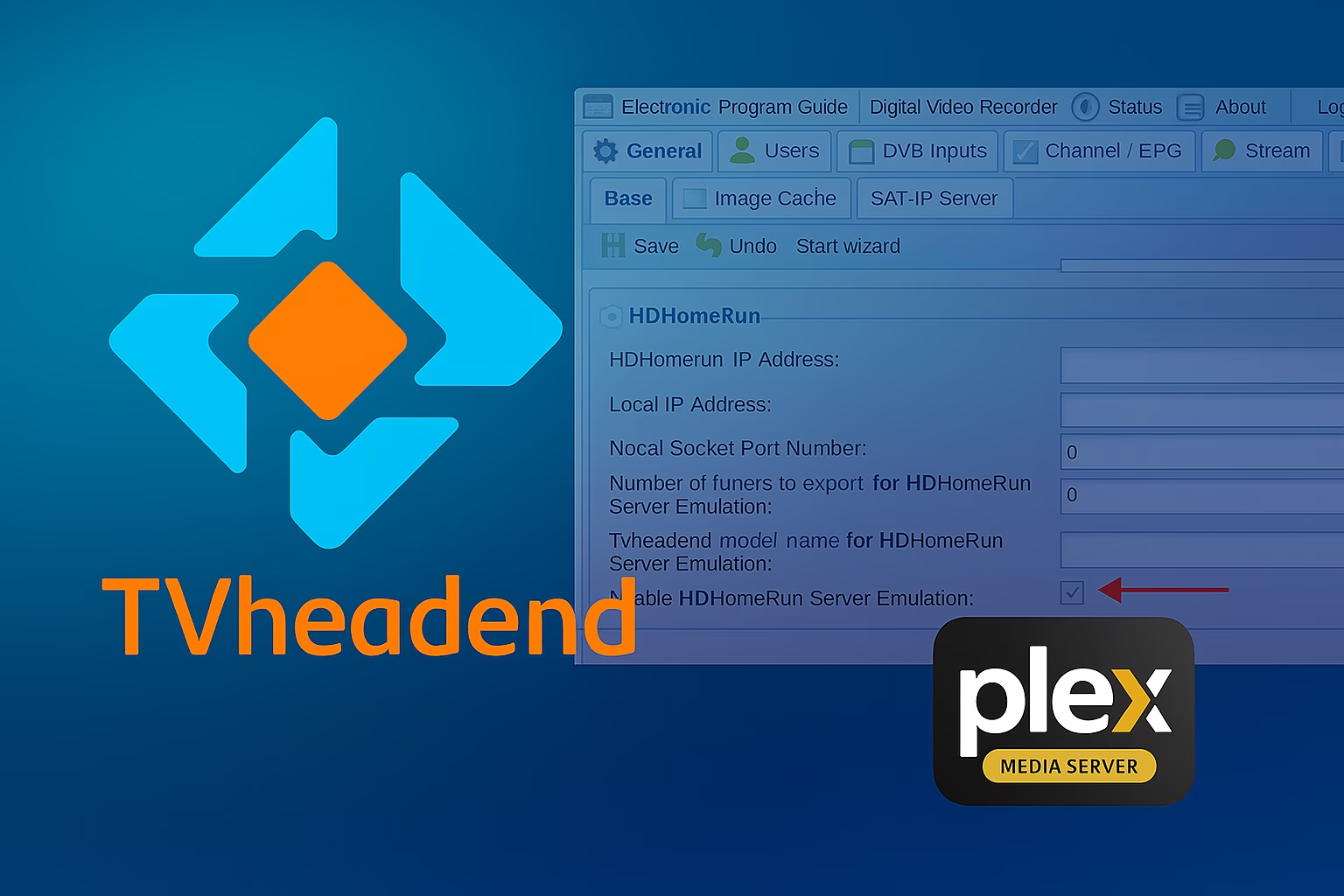
I noticed that Tvheadend has started supporting the built‑in HDHomeRun emulator, which allows adding channels directly to Plex to enable Live TV.
I had previously used the thejf/antennas emulator, but I decided to test Tvheadend’s built‑in emulator instead.
In the settings, you should only need to enable “Enable HDHomeRun Server Emulation”.
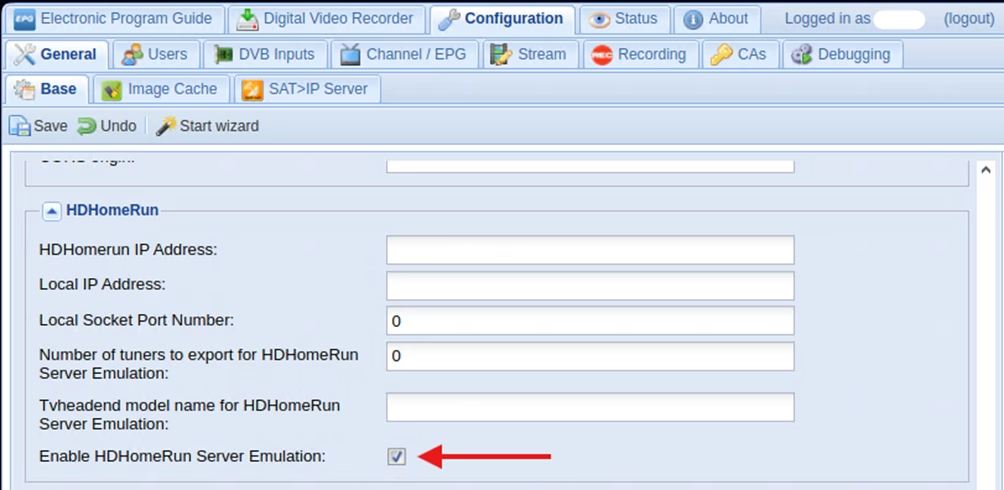
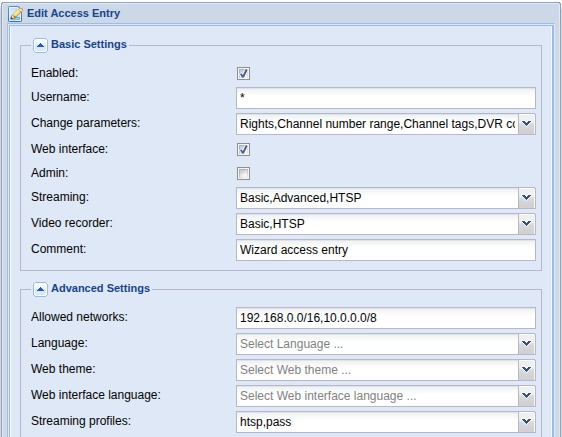
Remember to make “*” user with allowed network, so plex can connect.
After enabling this option, a new DVR device appeared in Plex.
If it doesn’t show up automatically, you can manually add the Tvheadend URL:
http://192.168.0.243:9981
However, the problem was that when trying to watch a channel, Plex reported that it couldn’t access the tuner or no tuners were available.
After a long investigation, I realized that the IPv6 support breaks the IP resolution in a way that Plex can’t handle.
This became clear when checking the discover.json file generated by Tvheadend:
http://192.168.0.243:9981/discover.json
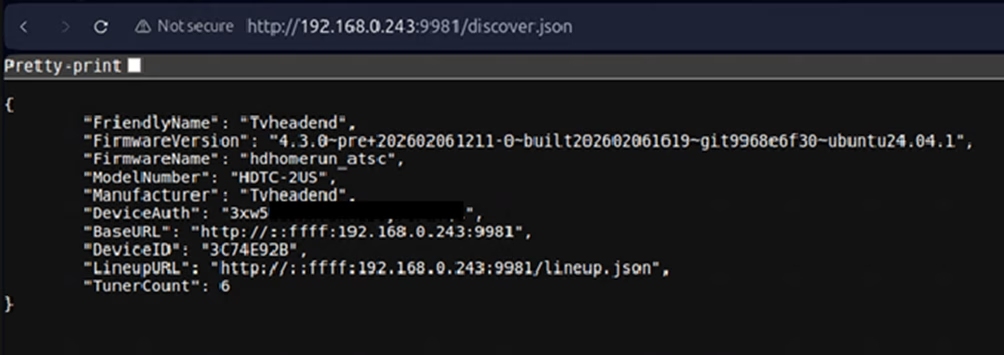
It generated URLs like:
http://::ffff:192.168…
which doesn’t seem to work in my setup.
I solved this by removing the “-6” option from the Tvheadend config and disabling IPv6 below.
Both must be disabled so that the URLs are generated in pure IPv4 format.
nano /etc/default/tvheadend
# Default configuration for Tvheadend.
# systemd
# See tvheadend –help for more – default “-u hts -g video”
OPTIONS=”-u hts -g video -6” <- remove -6# sysvinit
#
# Editing the following variables has no effect when using systemd
# modify the OPTIONS variable (above) instead.
#
# TVH_ENABLED
# set to 0 to disable upstart job
TVH_ENABLED=1
# TVH_USER
# if set to “” will run as root
TVH_USER=”hts”
# TVH_GROUP
# if set to “” will run as root
TVH_GROUP=”video”
# TVH_CONF_DIR
# if set to “” will use ~TVH_USER/.hts/tvheadend
TVH_CONF_DIR=””
# TVH_ADAPTERS
# if set to “” will use all available adapters
# for select adapters use comma seperated list of adapter
# numbers, i.e. to use /dev/dvb/adapter0 and /dev/dvb/adapter1 only
# set as “0,1”
TVH_ADAPTERS=””
# TVH_IPV6
# if set to 1 will enable IPv6 support
TVH_IPV6=1 <- set to 0
Restart tvheadend.service
systemctl restart tvheadened.servicediscovery.json looks now normal
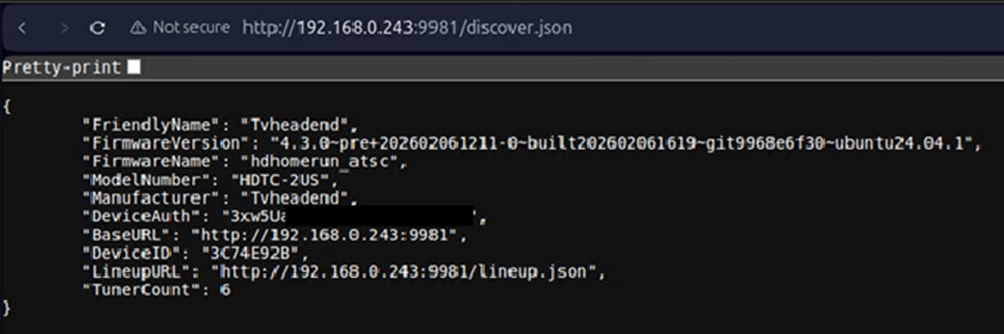
After making the changes, everything started working normally in Plex Live TV.
Picons / channel logos
Next, I enabled logos because I was using my own channel list, Plex’s default list was missing a few channels so I imported the channels and EPG directly from Tvheadend: http://192.168.0.243:9981/xmltv/channels
I used OpenPicons icons:
https://openpicons.com/?dir=full-motor-snp/hardlink
Download example:
https://openpicons.com/?file=full-motor-snp/hardlink/snp-full.400×240-400×240.light.on.transparent_2026-02-21–01-40-01.hardlink.tar.xz
These need to be extracted and placed into something like /home/picons:
cd /home

wget https://openpicons.com/?file=full-motor-snp/hardlink/snp-full.400x240-400x240.light.on.transparent_2026-02-21--01-40-01.hardlink.tar.xz -O picons.tar.xz

tar -xvf picons.tar.xz

mv snp-full.400x240-400x240.light.on.transparent_2026-02-21--01-40-01/ picons/
Then configure the path in Tvheadend under:
General → Base
- Channel icon path: file:///home/picons/%C.png
- Channel icon name scheme: Service name picons
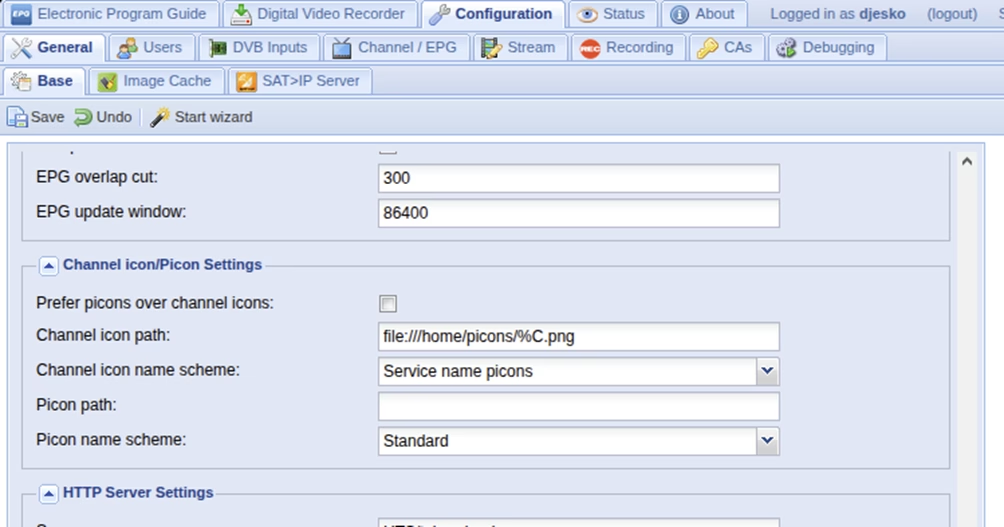
After this, the icons appear automatically in Tvheadend channels and in Plex.
Some finnish tv channel logos that not found in full package